Design in Fusion with your AI agent. Built to print.
An Agent Skill that models parts in Autodesk Fusion through its local MCP server. You bring measurements and photos. It builds a parametric model, looks at it, and exports it.
InstallView source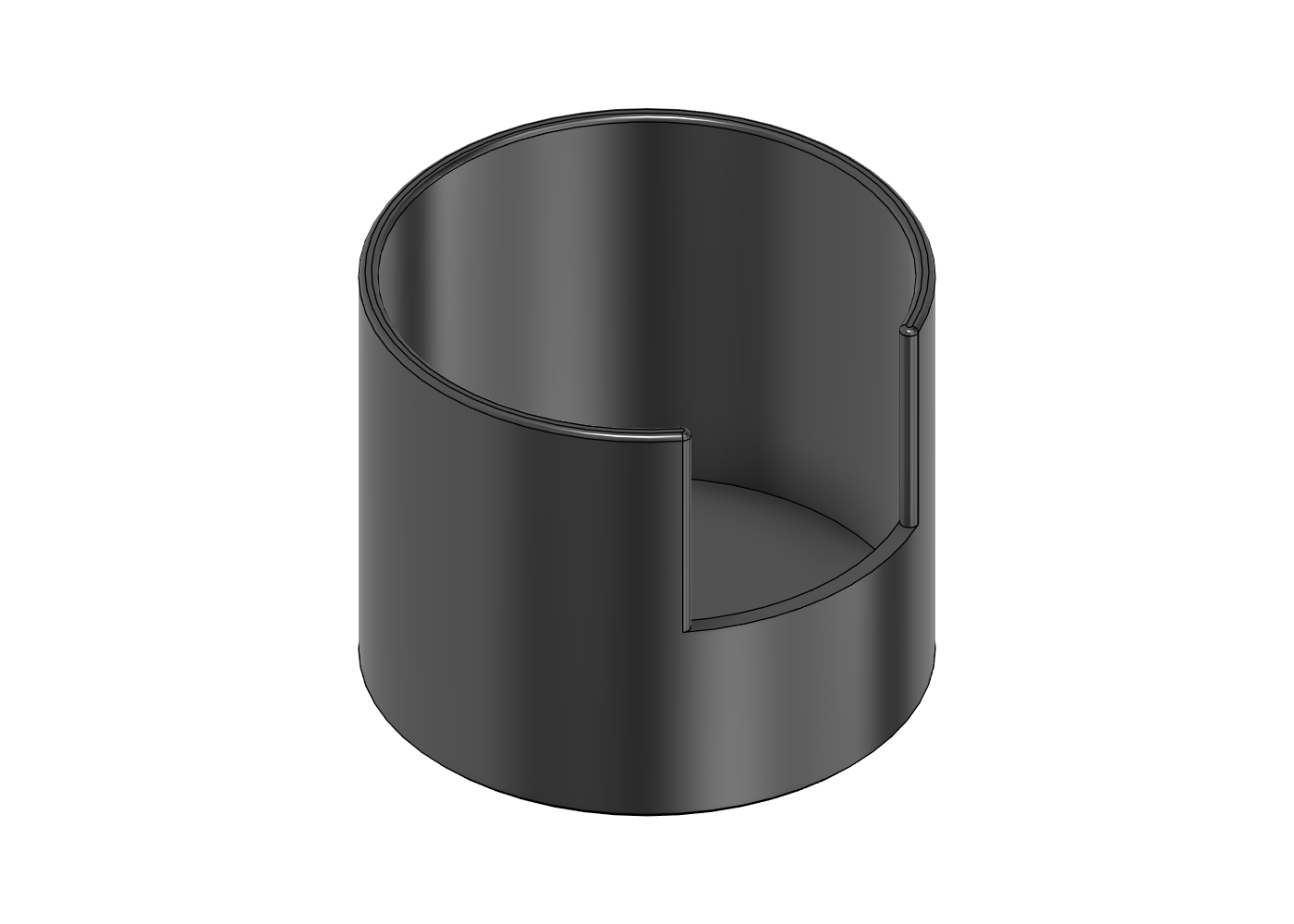
Pick the mode first
The mode decides what good means, so the skill asks before it models anything.
A part you will print in PLA, PETG, ASA or similar. You name the filament and it loads that material's fits and its limits for wall thickness, overhang angle and bridge length, checks the finished model against them, then slices it headless to see if it needs supports. Defaults to the Bambu Lab H2C. Exports 3MF and STEP.
Showcase
Not printed. Acrylic keychains for a crowdfunding page, exploded views for video. Layered parts at real material thickness, transparent PNGs, OBJ export.
Apparel
Clothing brand mockups: hang tags, label plates, buttons, zip pulls, hat badges, packaging. Rigid pieces only, not fabric.
How a session goes
- Connect. The skill checks the Fusion MCP server and never touches a document you already have open.
- Brief. You pick the mode, the material and share sizes: the tile, the phone, the magnet. Anything missing becomes a named parameter with a stated assumption.
- Parameters first. Measured, fit and derived values, each with a comment. Change one and the model follows.
- Build in small scripts. After each one it takes a screenshot and reads it.
- Verify. Timeline health, then a material check for walls, overhangs, bridges and holes, a parameter change to prove the model survives it, and a slicer run for supports and orientation.
- Hand over. Files, parameters, assumptions, and the first test print to run.
Two examples
Monster can holder (Print)
Brief: a desk holder for a tall can, PETG, with a finger notch so the can lifts out. It prints upright on its base with no supports and no bridges.
| Check | Result |
|---|---|
| Timeline | 11 features, 0 problems |
| Material check (PETG) | 0 warnings. The first version warned about a 0.6 mm knife edge at the finger notch, so its corners are now filleted |
| Slicer check | OrcaSlicer on the H2C profiles: watertight, 1 h 32 min, 36.7 g, no supports needed even when forced on, and the slicer's best orientation matches the export |
| Size | 72 x 72 x 58.2 mm, 39.2 cm3, fits the bed |
| Parameter test | can_dia 66 to 70 mm and back: outside diameter 72 to 76 mm and back, 0 problems both ways |
| Not proven | Fit. The can size is an assumption and nothing has been printed. Measure your can, print once, tune fit_xy |
Build script, screenshots, 3MF and STEP
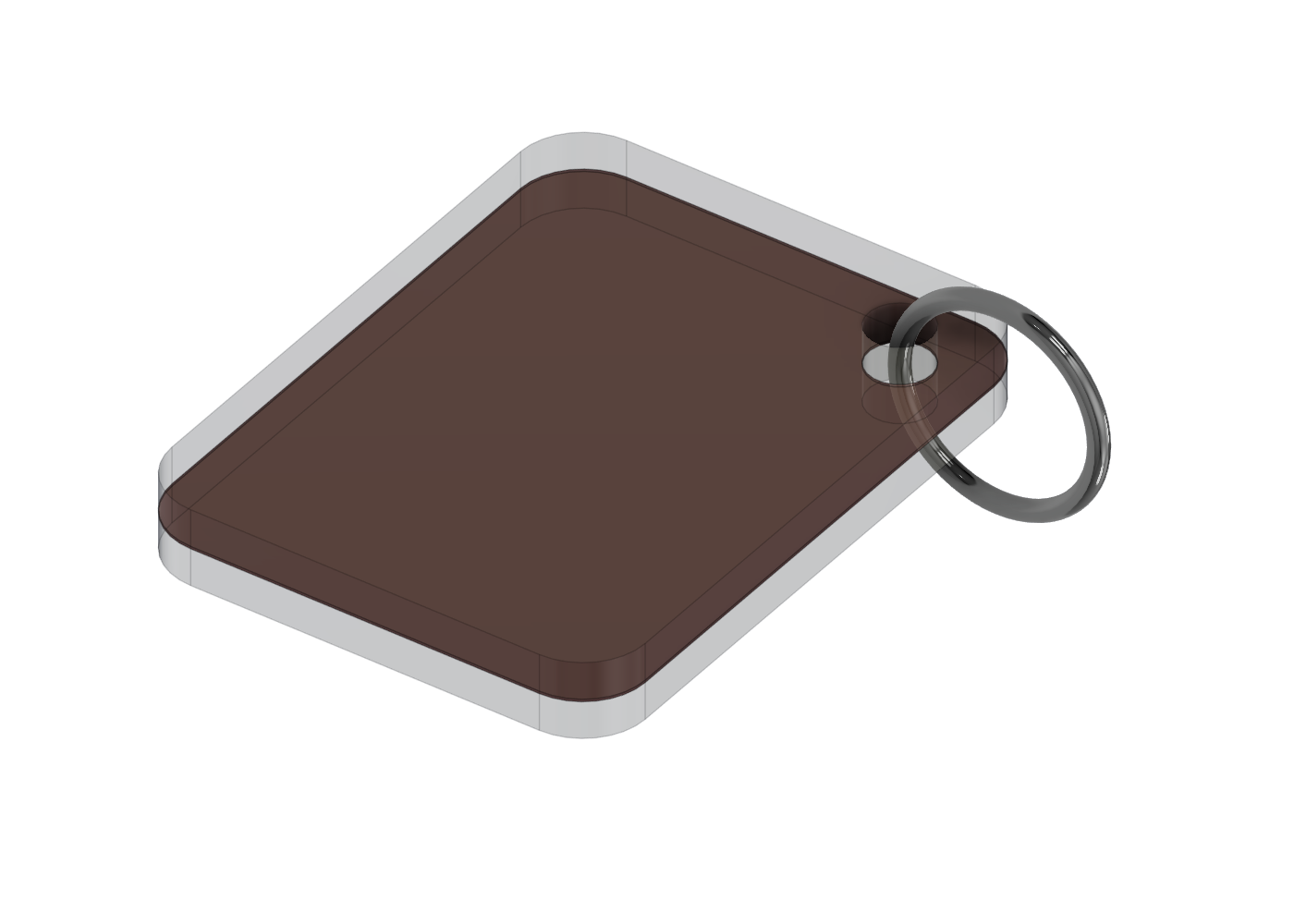
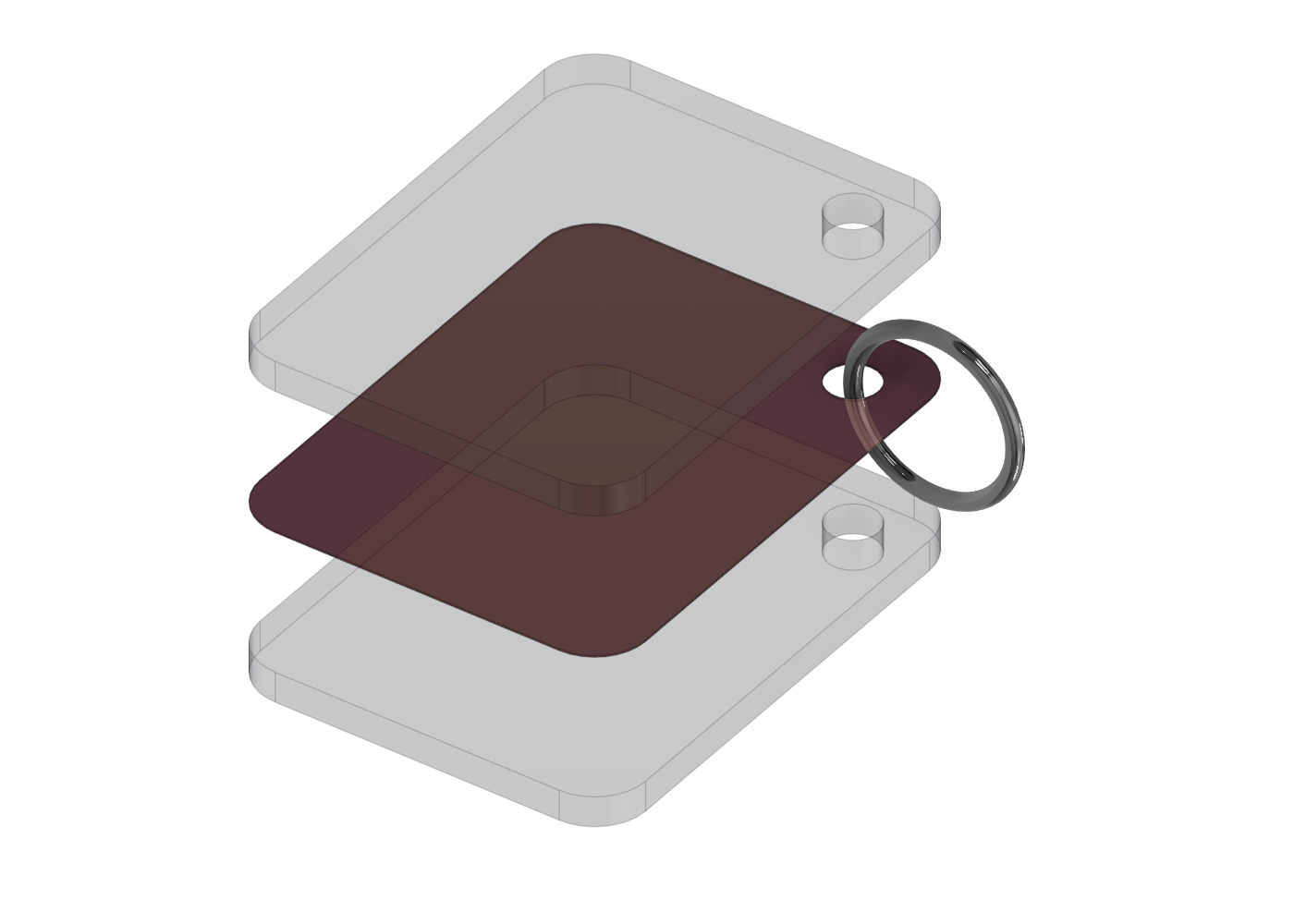
Acrylic keychain (Showcase)
Brief: the picture for a crowdfunding page, plus an exploded view for video. Two 3 mm acrylic layers, a printed art sheet and a chrome split ring. One explode_gap parameter spreads the parts.
Install
You need Python 3.8+, Autodesk Fusion with its MCP server on, and an agent that reads Agent Skills folders.
git clone https://github.com/shadowtor/fusion-studio.git
cd fusion-studio
python tools/install.py --claude --codex
python skills/fusion-studio/scripts/check_setup.py
Or in Claude Code: /plugin marketplace add shadowtor/fusion-studio then /plugin install fusion-studio@fusion-studio. Start a new session, then ask for a part.